


Turn Your Bet Slip Into Instant Insights: How to Use Bet Scan on Sports Genius

Steps
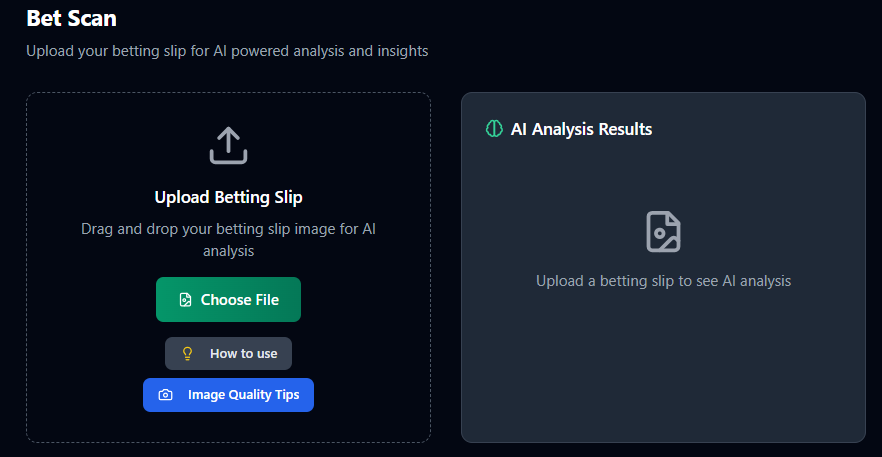
Open Sports Genius and tap Bet Scan on the dashboard.
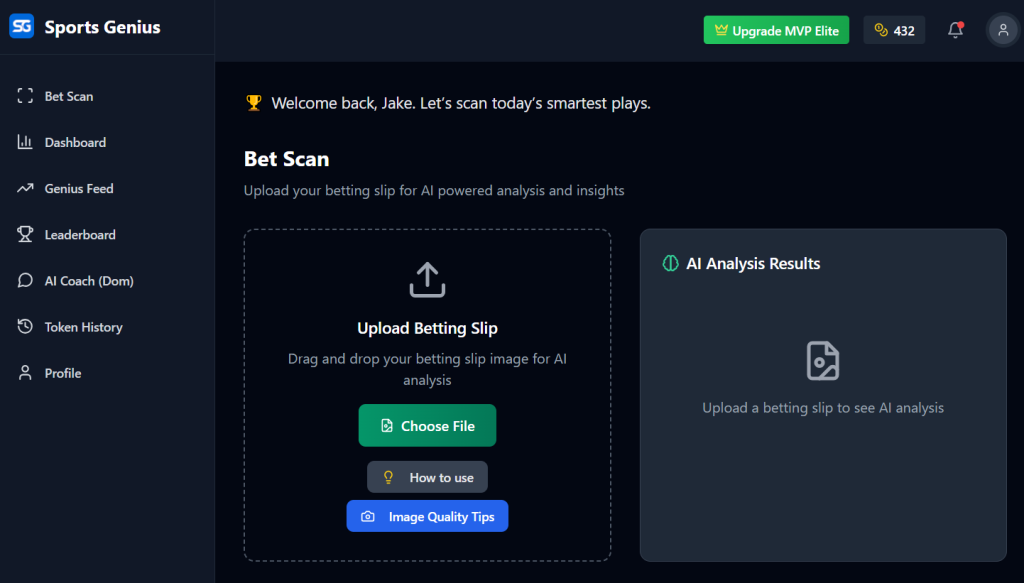
Click Choose File: Camera (live) or Upload (screenshot/photo).
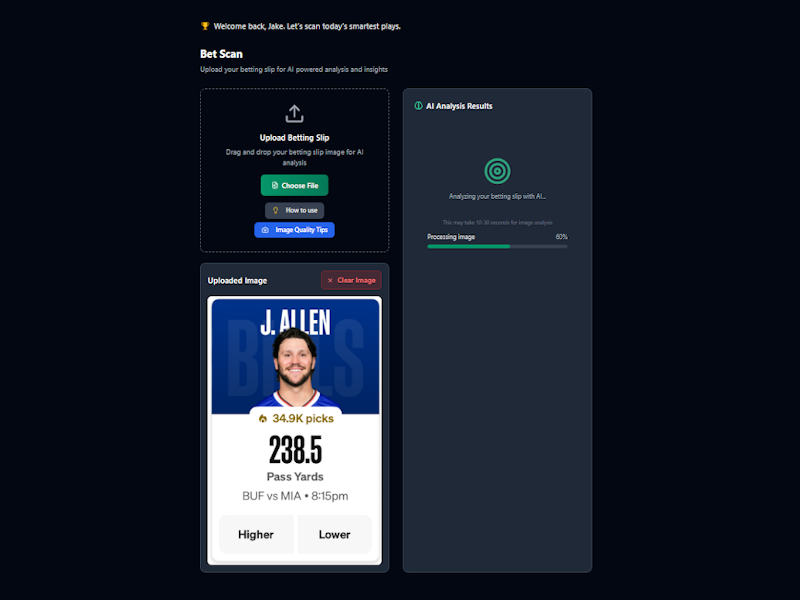
Once you select the image it will auto upload and the scan will begin. Depending on how may bets or players are on an image the longer it will take for the detailed analysis to complete.
A detailed analysis will display on-screen (summary, confidence, value alerts).
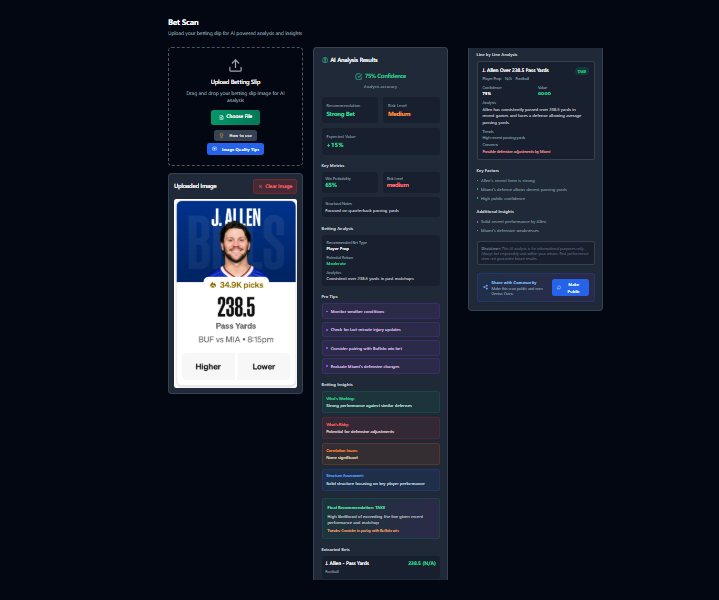
You have the option to share your bet scan results and make them public. You can also leave a comment on the analysis.
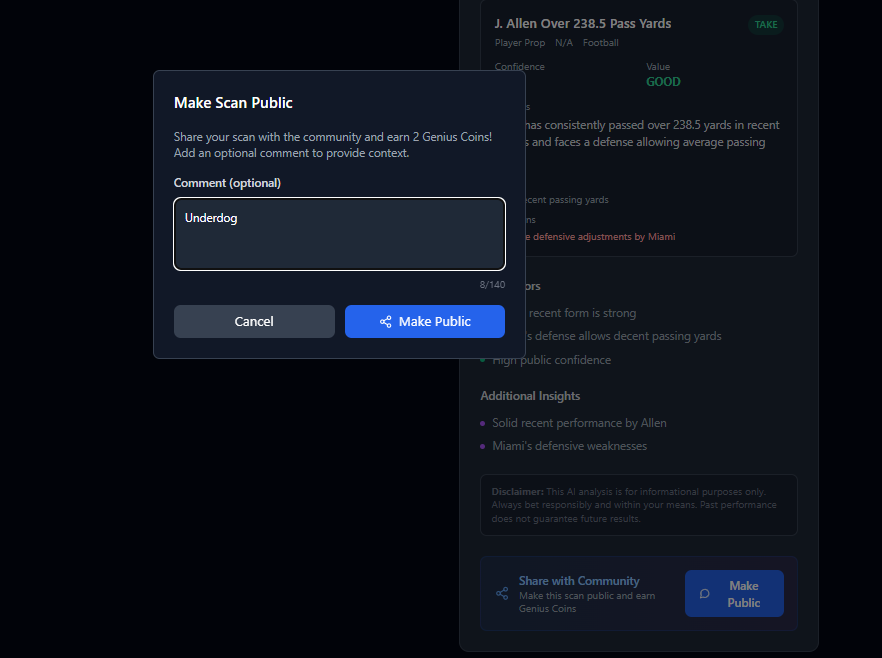
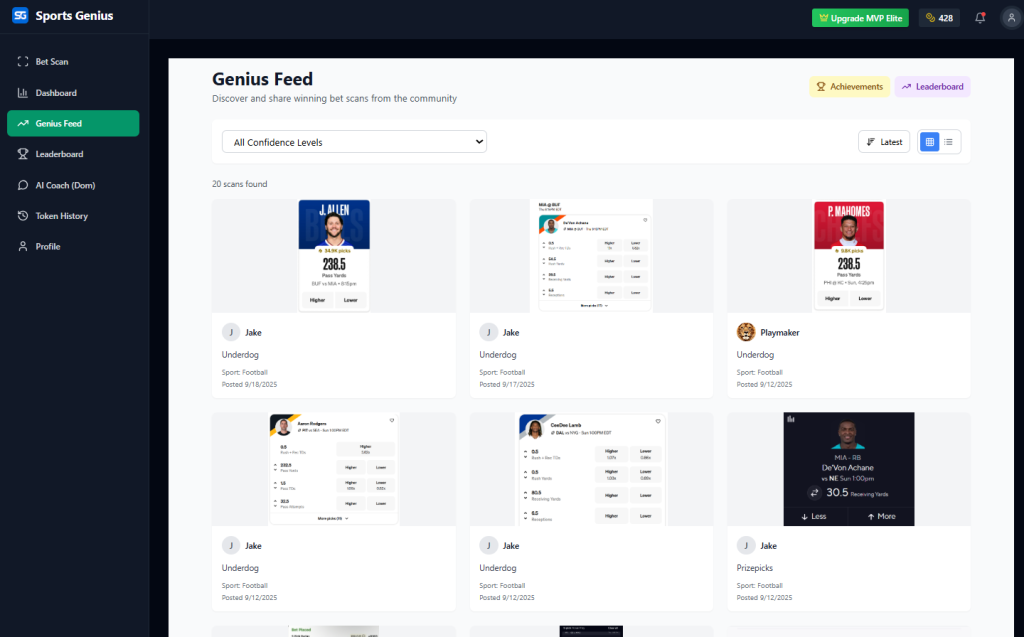
When you share your bet slip it will be public on the Genius Feed
Tips & Troubleshooting
- Tip: use good lighting and a clear, flat photo for best OCR.
- If scan misreads: The bet slip may have many lines to analyze on the bet slip and the AI timed out, the less bets to analyze the quicker it will take to get results back.
Try scanning your next betting slip and experience the difference that professional analysis makes. Your bankroll will thank you.
Scan your bet slip now:
Disclaimer: AI analysis is for informational purposes only. Always wager responsible, past performance does not guarantee future results.